

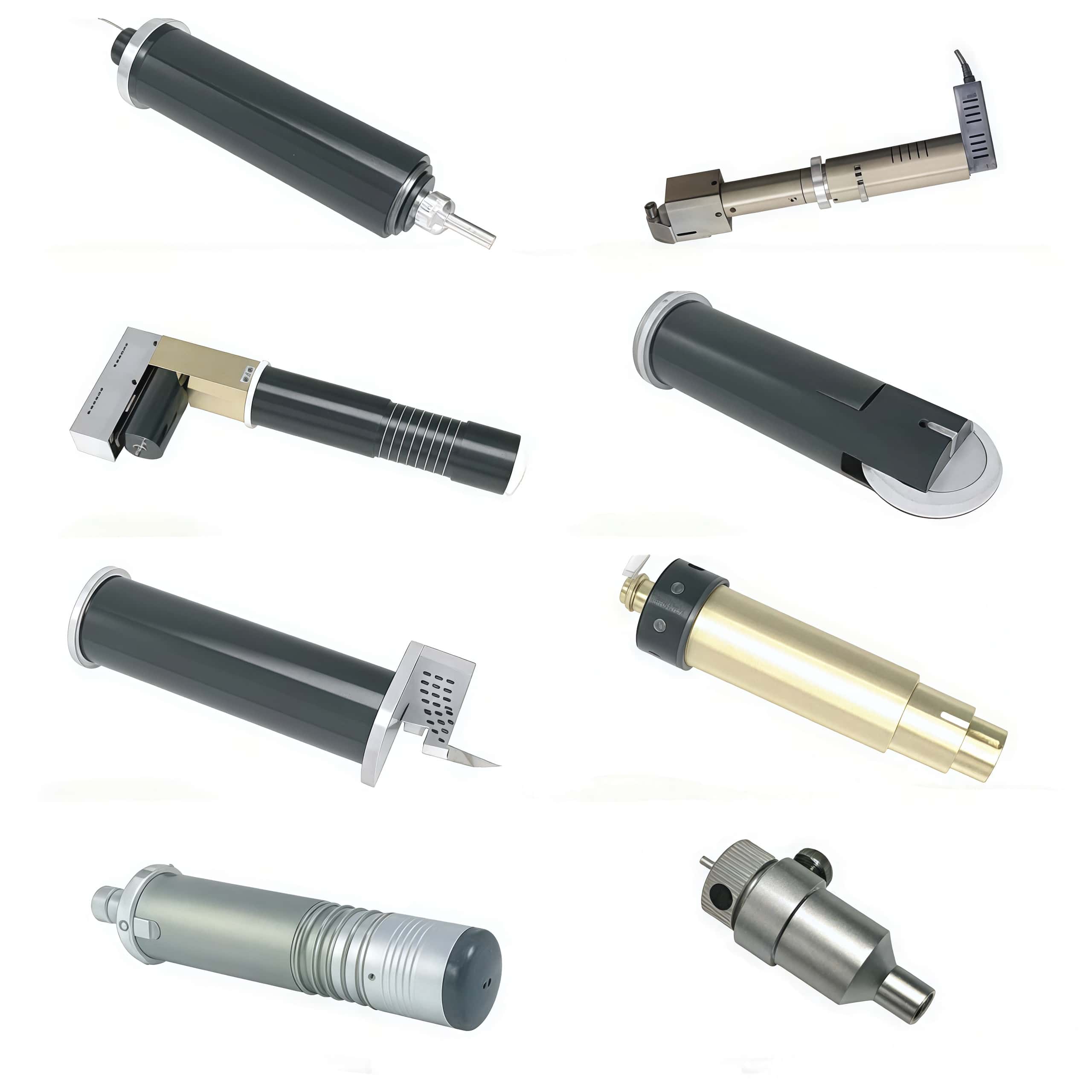
Choosing the best tools for a digital cutting system depends primarily on the material you are processing and the level of precision required. Digital cutting tables use modular heads that can swap between various knives, wheels, and routers to handle substrates ranging from thin films to rigid wood or aluminum.
Direct answer: To select tools for a Digital Cutting Table or Cutting System, start by matching your materials and intended cuts to the machine’s tool options, then verify compatibility with your software and workflow. Focus on the core tool families (knife/drag blades, oscillating blades, rotary blades, punching tools, and routers) and align them with material types, thicknesses, and required cut quality. Consider recommended tool sets from the machine vendor and reputable third-party sources, and plan for calibration, wear, and maintenance to sustain accuracy over time.
Guided steps to choose tools
Define the cutting tasks
Materials: paper, cardboard, textiles, foam, acrylic, wood composites, honeycomb, etc. Choose tools rated for those substrates (e.g., drag knives for soft, oscillating blades for textured or thicker materials, rotary blades for clean edges on flexible films, routers for rigid plastics or metal-influenced composites).
Required features: high detail in fine contours, through-cuts, perforations, V-cuts at angles, or creasing/score lines. This determines blade shapes and tool paths you’ll need.
Tool families and typical roles
Drag knives (unmounted or oscillating) for simple contours in soft substrates; offer high speeds but can struggle with thick or stiff materials.
Oscillating knives (electric) for fabrics, foam, and layered materials where edge quality matters; available with different stroke lengths to suit substrate thickness.
Rotary tools (drag rotary knives) for flexible materials like film and fabric with smooth curves; useful for through-cuts in soft materials.
Puncture or punch tools for perforation or pre-punch features in corrugated or fibrous substrates.
Routers for rigid materials (acrylic, MDF, composite boards) requiring deeper cuts or shape profiling; typically used for thicker substrates or where a true through-cut is needed.
Material thickness and cutting depth
Ensure the tool’s cutting depth and the machine’sZ-axis reach match the maximum substrate thickness you plan to cut, including any sacrificial or underlay materials.
Tool compatibility and modules
Check which tools fit the machine’s tool modules and how they transfer the zero point and calibrate automatically; many systems require specific tool holders and calibration procedures when swapping tools.
Confirm that the chosen tools are listed as compatible with your machine model and with the software you use to generate toolpaths (DXF, AI, PDF, etc.).
Material-specific considerations and coatings
Some materials benefit from coated blades or specialty coatings to reduce wear, prevent gumming, and maintain edge quality; verify recommended coatings for your substrates and expected run length.
For heavy-density or abrasive substrates, plan for blade wear and have spare blades on hand to minimize downtime.
Software and workflow integration
Ensure the system's software supports tool selection, tool library management, automatic material registration, and calibration steps; use the vendor’s “cut center” or equivalent tooling system if available.
Practical starting point
Build a starter tool kit around your most common tasks: a drag knife with a few blade types for standard papers and films, an oscillating knife for textiles or foam, a rotary blade for through-cuts in thin plastics, and a basic router option if rigid plastics or wood composites appear regularly. Add a perforation/punch tool for any substrate requiring pre-forms, and a V-cut or angle-cut tool if angled scoring is needed for packaging or fold lines.
Maintenance and lifecycle
Plan for routine blade replacement schedules based on material hardness and cut frequency; maintain calibration after tool changes, and keep spare blades and wear parts on hand to minimize downtime.
Tool Maintenance and Longevity
Using the right tool is only half the battle; maintaining it ensures consistent performance.
Blade Sharpness: Dull blades lead to poor cuts and material damage.
Tool Calibration: Regularly calibrate for depth and angle.
Cleaning: Keep blades and housing clean of material buildup.
Replacement: Have backups ready for high-use tools to minimize downtime.
Matching Tools to Applications
Here are a few common use cases and the best tools for the job:
|
Application |
Material |
Recommended Tool |
|
Label Production |
Vinyl, sticker sheets |
|
|
POP Displays |
Corrugated board |
Oscillating Knife |
|
Textile Cutting |
Polyester, cotton |
|
|
Exhibition Standees |
Foam board |
V-Cut Tool |
|
Signage (Outdoor) |
Acrylic, ACP |
SHARE:


PREV : What are the characteristics of the production process of special-shaped cemented carbide? NEXT : China Atom 01040073 01046251 01033856 01030773 01039999 01047659 Digital Cutting Systems Blades Sele